Your money, four weeks at a time
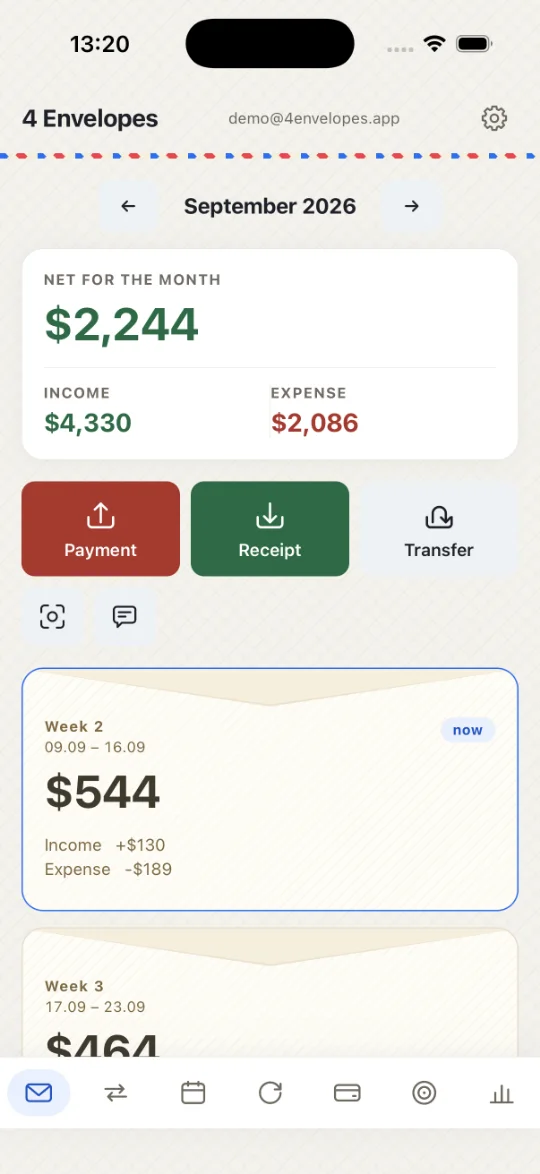
A whole month is too coarse a unit for deciding whether you can spend something today. 4 Envelopes cuts it into four envelopes and shows how much is free in each. Not bookkeeping after the fact, but an answer to “what is left for this week”.
33 days free. No card to begin with.
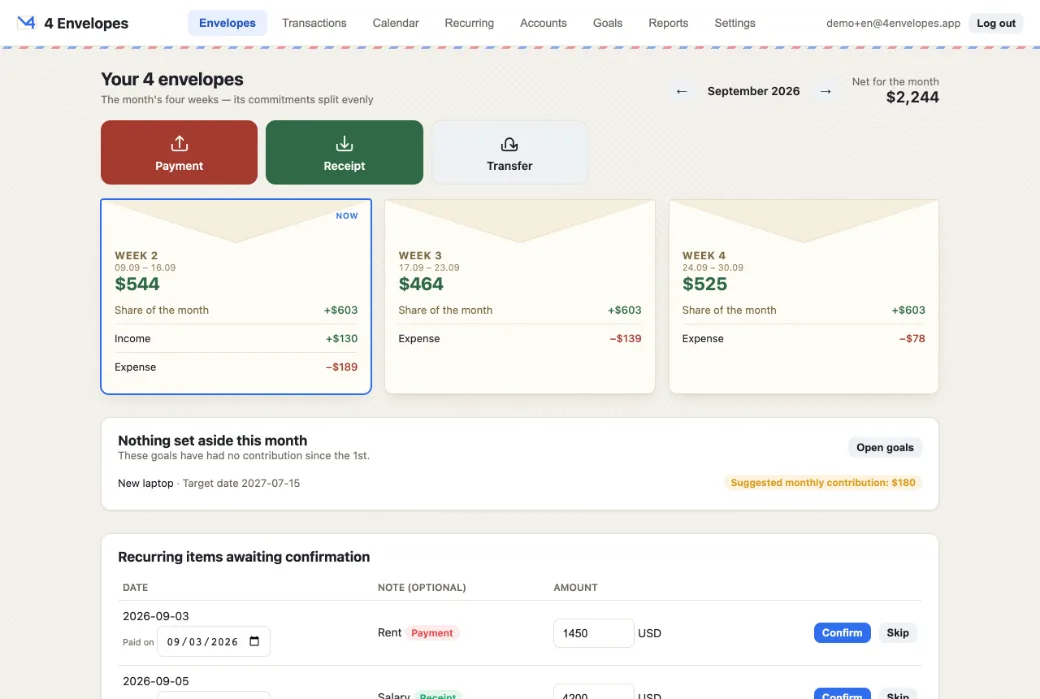
All four show the same number, and that is the idea: the month’s standing commitments, split evenly. A one-off moves its own week and no other.
How an envelope is worked out
One formula, with nothing hidden in it.
The shared part — the month, divided by four
Planned income less planned expenses less what still has to go towards goals this month. The result is divided by four and is identical in all four envelopes. The whole month counts, days of it already past included: a plan is a budget, not a forecast of the cash still to come.
The week’s own part — what you entered for it
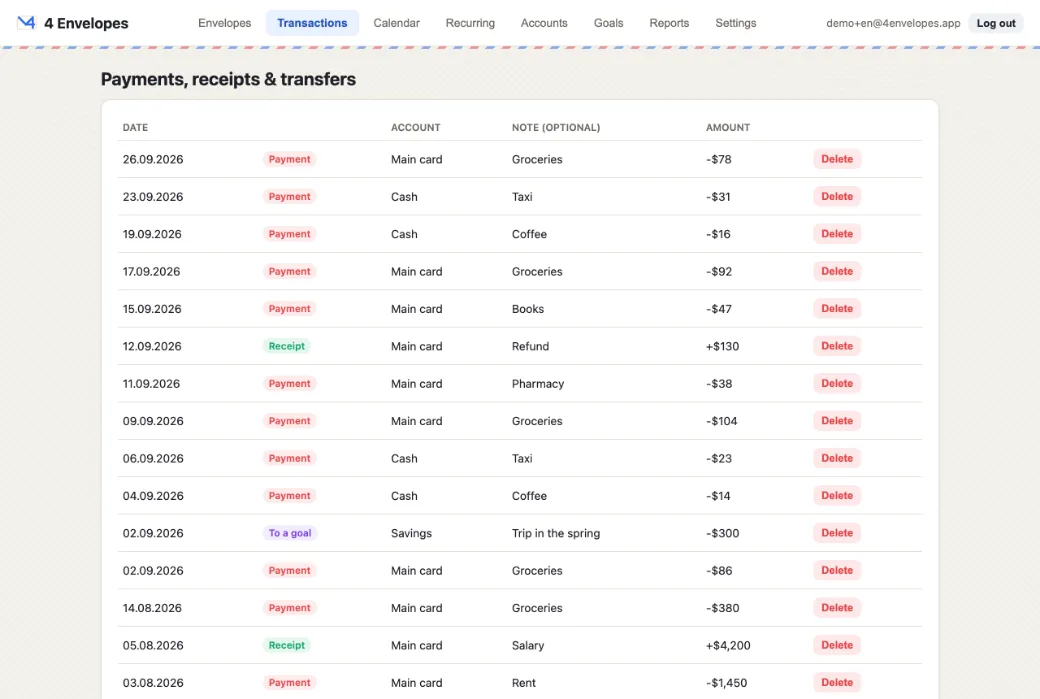
One-off payments and receipts land in the week they are dated in and move that week alone. The card prints its own arithmetic — share of the month, the week’s entries, anything carried — adding up to the figure above them.
An overspend carries forward
A week that went into the red is emptied and what it was short moves onto the weeks after it — never the ones before, whose money is already spent. Rewriting a week you have lived through is not an option. The month’s total is preserved exactly.
Confirmation, not automation
A recurring payment is a plan. When the bill arrives you confirm the amount it really was and the day it really moved: a utility bill changes every month, and it is rarely paid exactly on time.
What is in it
Multi-currency throughout
Accounts, payments, recurring rules and goals each carry a currency of their own. A payment can be entered in one currency and charged to a card in another — the rate is fetched, or you type the figure that actually left the account.
Recurring payments
Weekly, monthly and yearly. You confirm each with an amount and a date; the list shows what is due this week and does not lose anything missed since the 1st.
Goals
How much still has to be set aside this month, counting what already has been. The envelopes screen names the goals nothing has gone into since the 1st.
Calendar
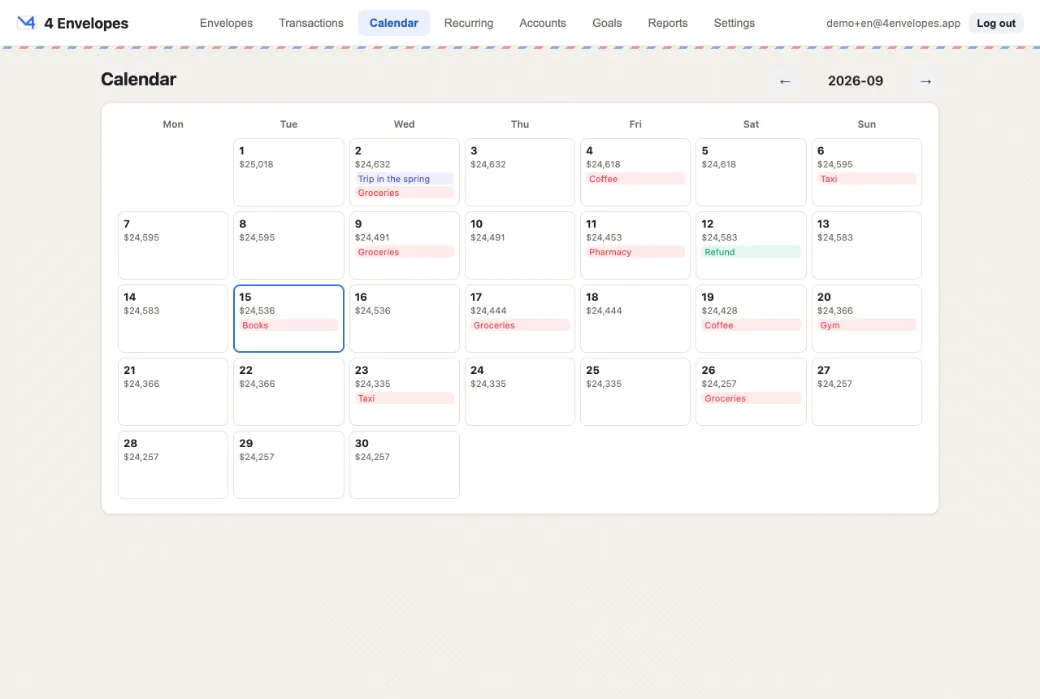
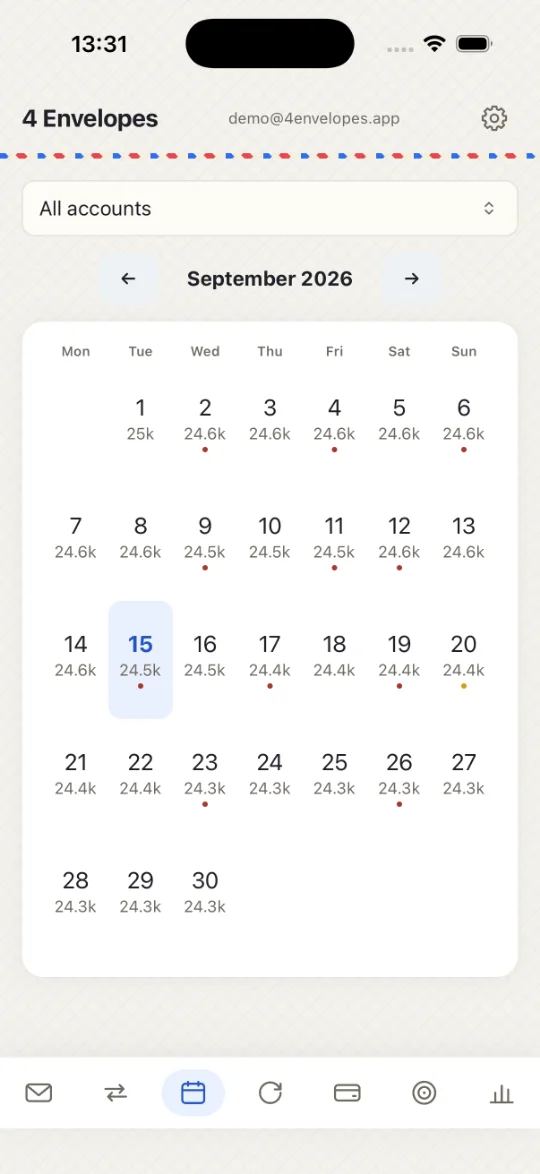
The balance on every day. The past is reconstructed from what was actually booked and the future from plans: drawing an unconfirmed payment in the past would show a charge the balance beside it denies.
Reports
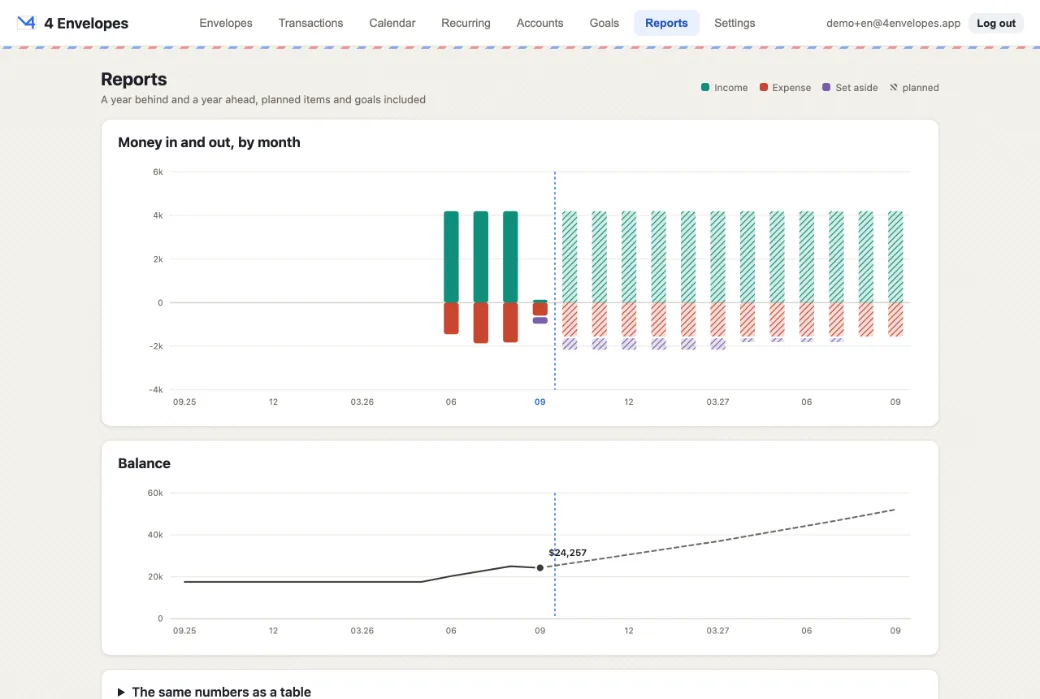
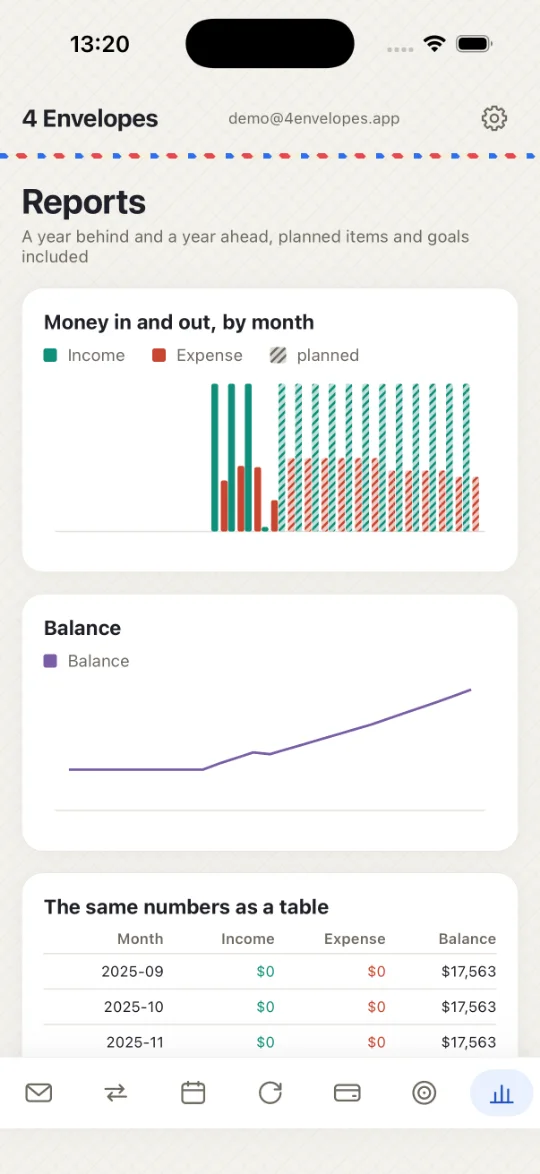
Two charts rather than one: money per month is a flow and the balance is a stock, and putting them on one axis lets whoever drew it decide which line looks higher. A year back and a year ahead.
A receipt from the camera
The photograph is read on the phone itself; only the text is sent, and the picture goes nowhere. The total is not taken as “the largest number” — subtotals, tax and change are ruled out by name.
A notice from your bank
A bank SMS or notification becomes a ready-made transaction. The balance on the card is never taken for the amount spent — on a notice it is usually the larger of the two, which is exactly what catches people out.
Six languages
English, Deutsch, Español, Français, Português, Русский. The language, the base currency and the order of your lists are yours, and stay available even after a subscription ends.
Nothing extra about you
The receipt photograph stays on the phone. A bank notice is read and forgotten — nothing about it is stored. Passwords are held as hashes, and links in emails live an hour or a day.
What it looks like
Real screens, captured from the running app in this language. The figures are a demonstration.
In the browser
On the phone
Where it runs
| Browser available | The complete app: envelopes, accounts, payments, goals, calendar, reports, settings. Nothing to install — open it and sign in. |
|---|---|
| iPhone App Store soon | The app is built and working: the same screens plus the camera for receipts and bank notices read from the clipboard — copy the message, press Paste. It is not published on the App Store yet — write to us if you would like to be among the first. |
| Android Google Play soon | Built and running on a real phone, with the same screens as the iPhone app — the code is shared. It is not on Google Play yet: write to us if you would like to be among the first. Reading bank notifications without you is possible on Android and not on iOS, and it is not written yet. |
How to start
Email and password sign in from both
The account is created in the mobile app. A confirmation email follows — you can use the app straight away without waiting for it. After that you sign in from the app or from the browser, whichever is to hand. A forgotten password is recovered with a link that lives an hour; opening it also confirms your address and closes every earlier session.
Google or Apple sign in from both
One button, no separate password. The address has already been confirmed by the provider, so no email is sent at all. The first one creates the account, and that first one happens in the app; the browser recognises it afterwards.
One account, created in the app — that is where the trial starts and where the subscription is bought. The browser signs the same account in; the data lives on the server, not in one device.
What it costs
No card needed. Nothing is held back during the trial.
- The subscription is bought in the mobile app — App Store and Google Play require it for anything unlocked inside an app.
- Each country has its own price set by the store; you see the final one before paying.
- Without a subscription the account becomes read-only: everything is there and readable, only adding and changing stops.
- Nothing is deleted. Settings, language, currency and rates stay available at all times.
- If a payment fails, the store keeps retrying for a few days — access is kept for as long as it does.
Get in touch
A question, a bug, a suggestion, or a request for early access to the app — write to us: info@4envelopes.app
If a bank notice was read wrongly, send us its text (the figures can be changed) — it is the fastest way to teach the parser your bank.